Goldtouch Elite Numeric

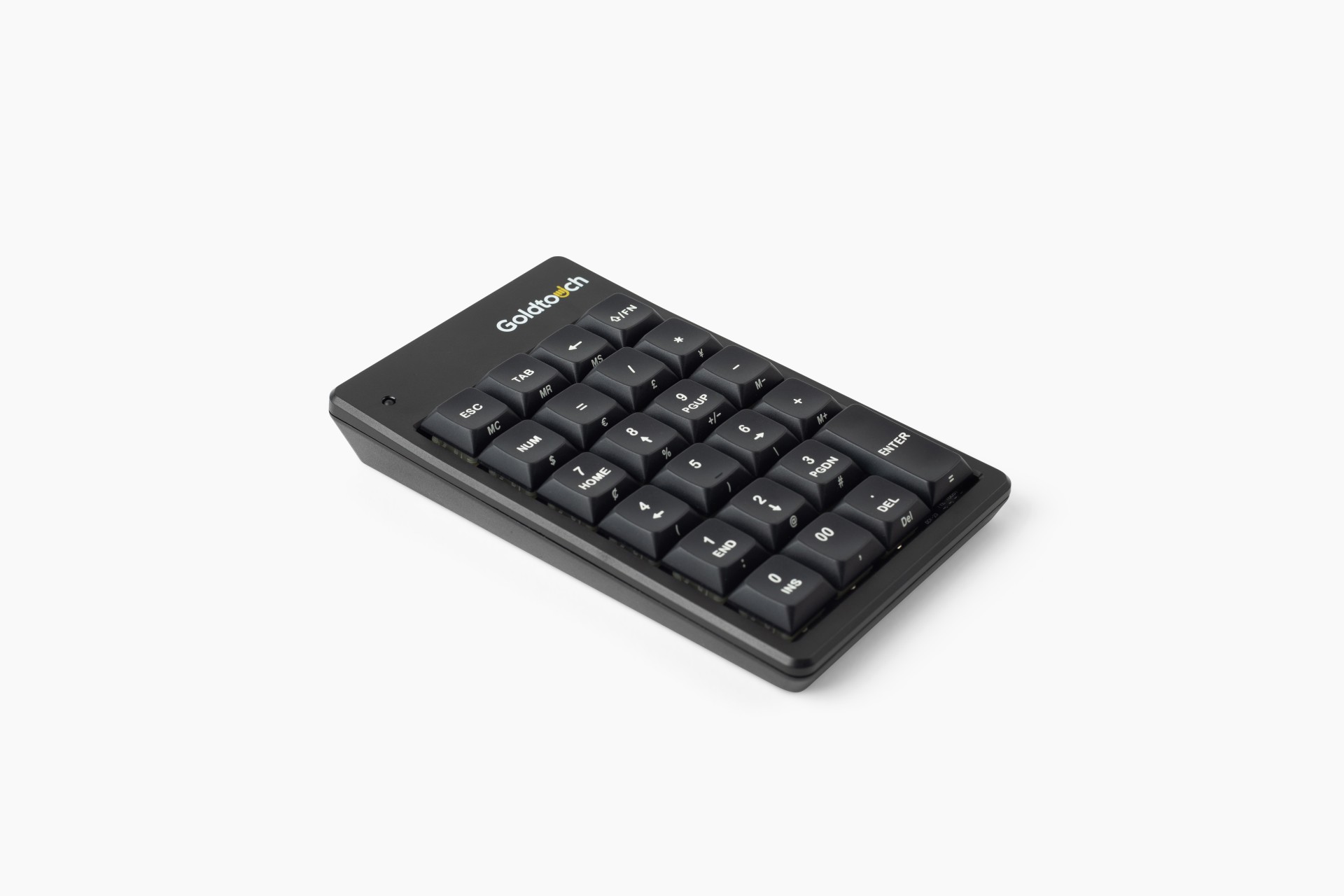
The Goldtouch Elite Numeric is the ideal accessory for you if you need to enter a lot of data during your working day.

Goldtouch Elite Numeric

The stand-alone Goldtouch Elite Numeric can be freely positioned, for the most comfortable fit, without the constraints of a traditional locked-position keypad.

The Goldtouch Elite Numeric Keypad is the perfect companion for the Elite Keyboard. Position it next to your keyboard when doing data entry, and easily swap it out with your mouse when not in use. This standalone numeric keypad makes it easy to achieve the ergonomic desktop you deserve. With its low-profile Cherry MX Red mechanical keys and the right amount of tactile and audible feedback, number crunchers will enjoy the ease of having a dedicated numeric keypad at their fingertips.

Ergonomic background

A compact keyboard without the numeric keypad, which allows placing the mouse closer to the keyboard. Research shows that 90% of users do not use the numeric keypad, if ever. With a compact keyboard you work more comfortably, because it lowers the reaching distance to the mouse (Cook C. et al., 1998). This lightens the load on the forearms and shoulder. Dark letters on a clear background make reading easier (ISO 9241) and contribute to higher productivity (Snyder, 1990).

Enter data rapidly.

With the Goldtouch Elite Numeric you’ll find all of the keys you need in close proximity. While some external keyboards may include a numeric keypad on the right side of the board, this is less than ideal for both left-handed users and right-handed users, who can’t easily reach the keypad where it’s anchored. In addition, a built in numeric keypad on the right side of your keyboard forces many users to position their mouse outside of normal range of motion.  With the Goldtouch Elite Numeric you can position the numeric close to your body this reduces the amount of movement needed to enter data rapidly.
 
Tactile feedback
The Goldtouch Elite numeric provides excellent tactile feedback, so there’s no need to press down too hard and strain your wrists and joints. This numeric has a crisp tactile feel, and the right amount of audible feedback. This balance between recognizing the pressure point and the key pressure force promises an appropriate balance between strength of actuation and typing speed.
Plug-and-play
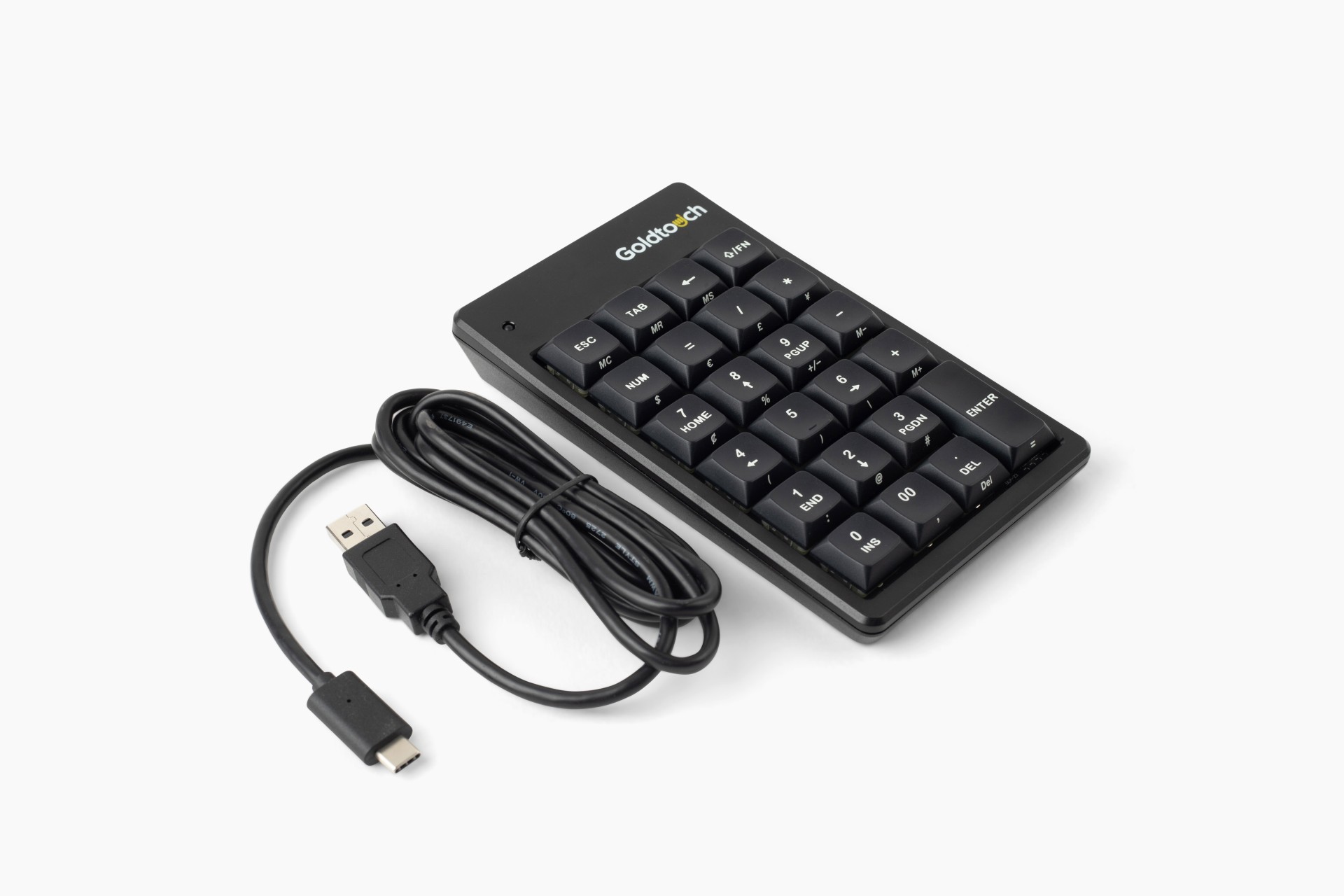
The Goldtouch Elite Numeric can be added to the computer without having to do a manual configuration. Just put the USB cable in your computer or a free USB port and start working.
Nice features
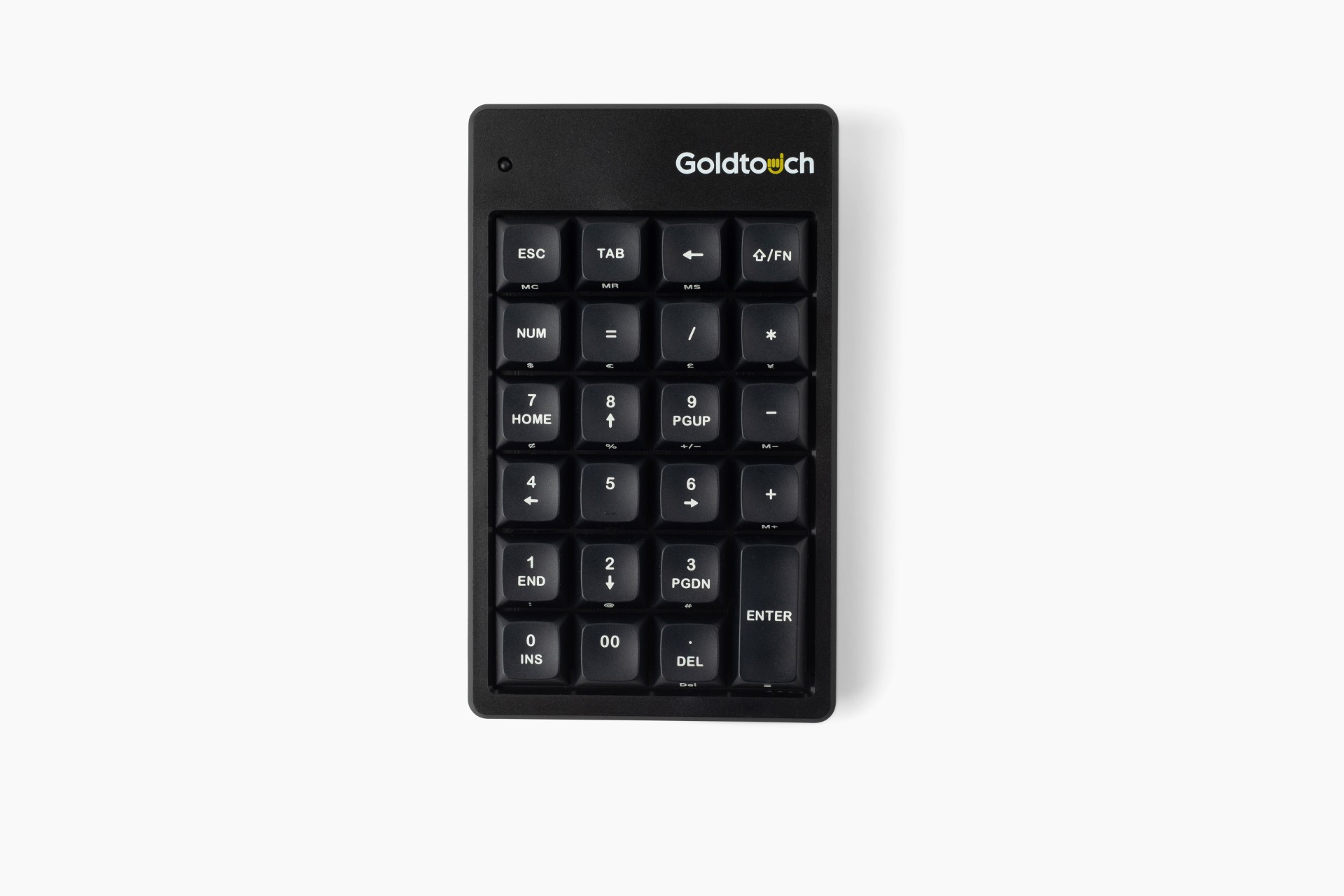
The LED on the top of the Goldtouch Elite Numeric shows if the keypad is connected and ready to operate. This numeric is available in the colours black and white. In total this numeric has 22 keys, including escape, backspace and tab. You can switch on the integrated navigation keys with the NumLock and use conveniently the functions: go to home, page up and down, end, insert, and delete. The integrated navigation keys lead to more efficiency.
USB-C
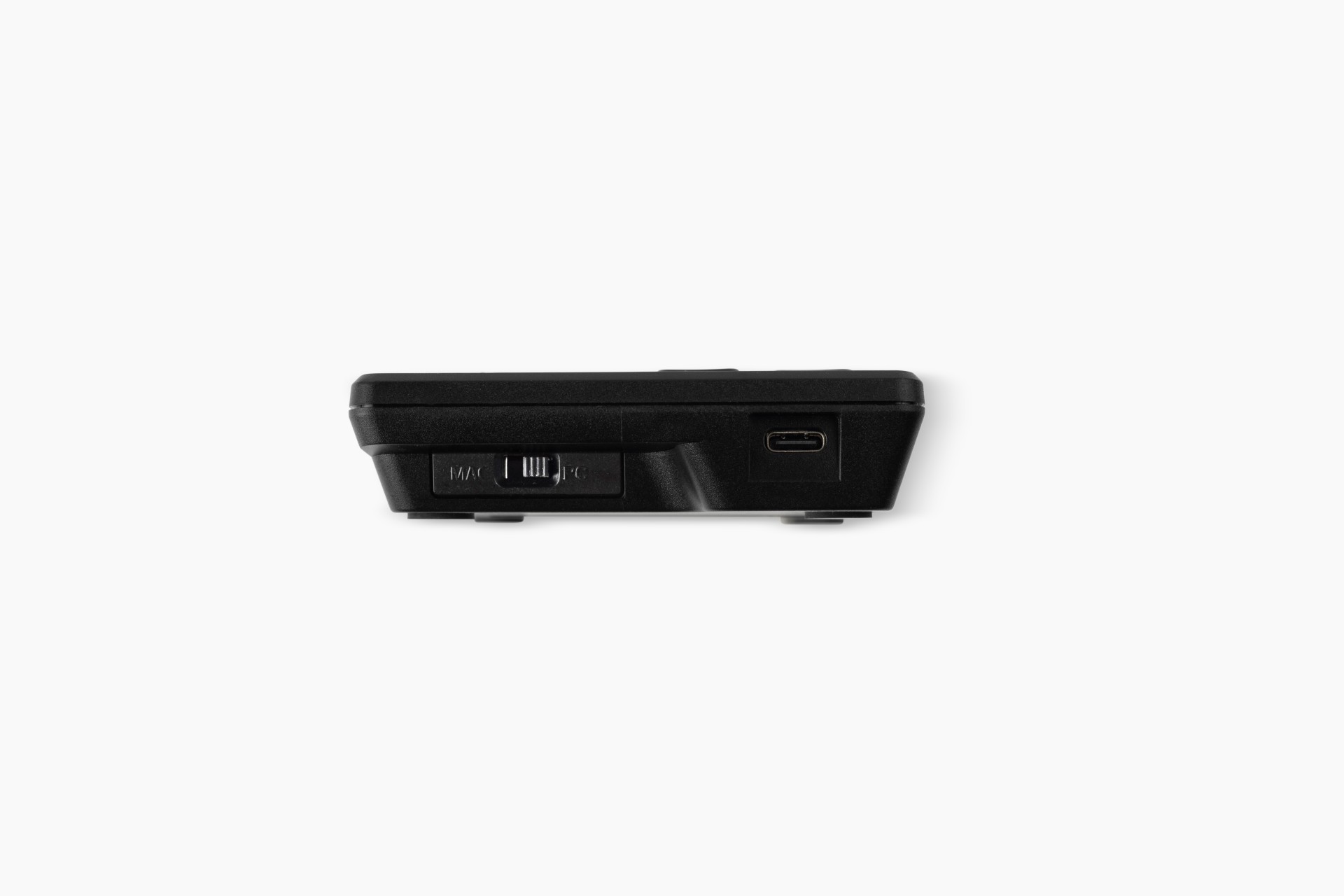
The Goldtouch Elite Numeric Keypad supports PC+Mac via convenient switch on the side of the keypad.
PC+Mac users can use the included USB-A to USB-C cable.
PC+Mac users with USB-C only ports can use a straight USB-C to USB-C cable.

Choose version

project

Ordering on a project basis?
Contact us for more options

Frequently Asked Questions

Didn't find what you are looking for, contact us

Contact our product experts

Are you looking for advice, or do have a question about our products. Contact our product experts.

headphones

Need help? We're here for you

Look at our FAQ or contact us

thumb

Our knowledge & products are the heroes

See our wide range of knowledge and products.

star

Many customers preceded you

Read about their experience with BakkerElkhuizen

Copyright © 2026 BakkerElkhuizen

Privacy policy Terms & conditions Cookie policy

We want to give you the best experience possible, have we selected the right country and language for you?
nl
United States
English
 
Continue >
Oceania
AU
Australia
North America
US
United States
Other
OT
Other (Global)